
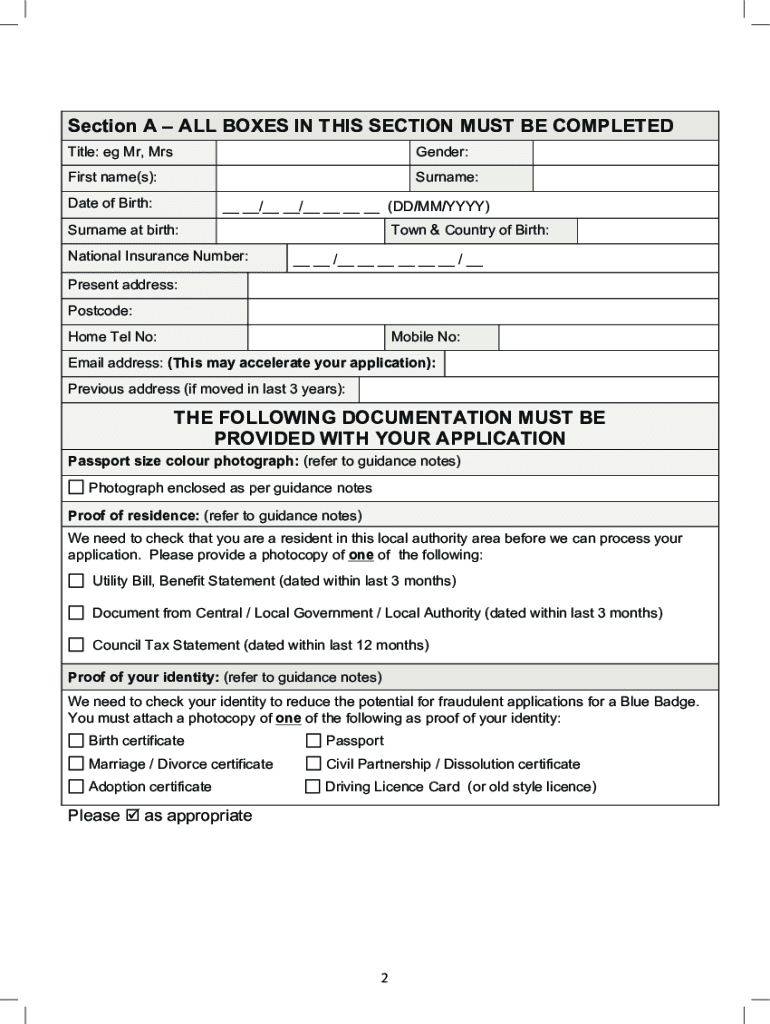

You can apply for a Blue Badge online through the official GOV.UK service if you live in England, Scotland or Wales. If you live in Northern Ireland, use the separate nidirect Blue Badge application service. Applications can be made for yourself, on behalf of another person or, where the rules are met, for an organisation. There is an important exception for some applications in Scotland, explained below.
Before you begin, gather a recent digital head-and-shoulders photograph, proof of identity, proof of address, information about relevant disability benefits, your National Insurance number if you have one, and supporting evidence where an assessment is needed. You can save and return to a GOV.UK application for Great Britain, but Northern Ireland’s online application must be completed in one session.
How do I apply for a Blue Badge online?
The first step is to choose the official service for your nation. Do not pay an unofficial application website for access to a form that you can reach directly through the government.
England, Scotland and Wales: use GOV.UK — Apply for or renew a Blue Badge. The service asks for relevant information, including your location, and directs the application to the responsible authority.
Northern Ireland: use nidirect — Apply for or renew a Blue Badge online. The Northern Ireland service has its own application, payment and evidence requirements.
Exception in Scotland: mygov.scot explains that if you are applying for someone because they are at risk in traffic, you must contact the local council rather than use the online form. Other eligible applicants can generally use GOV.UK. Check the official Scottish application instructions if this applies to you.
Blue Badge online application: quick UK comparison
| Nation | Where to apply | Badge fee | Indicative decision time |
|---|---|---|---|
| England | GOV.UK / local council | Up to £10 | Usually within 12 weeks; sometimes longer |
| Scotland | GOV.UK / local council, with certain exceptions | Most councils charge £20 | Around 12 weeks at most councils; sometimes longer |
| Wales | GOV.UK / local authority | Free | Up to around 12 weeks |
| Northern Ireland | nidirect / Blue Badge Unit | £10 | Normally 6–8 weeks; potentially longer |
Step 1: check whether you may qualify
Before filling in the full form, check the Blue Badge eligibility rules that apply where you live. The scheme helps eligible disabled people park closer to places they need to visit, whether they travel as a driver or passenger. Being able to drive is not a general requirement.
There are broadly two ways to qualify, although the precise categories and wording differ between the four nations:
- Eligibility without further assessment: you meet one of the specific benefit, sight-impairment or other criteria recognised by your nation.
- Eligibility following further assessment: the authority needs to consider how your disability, health condition or journey-related difficulties meet the rules.
A diagnosis alone is not a guarantee. For assessed applications, the effect of the condition on mobility and journeys is often more important than its name. Our guide to conditions that may qualify for a Blue Badge explains this distinction.
What if I receive PIP, DLA or a Scottish disability benefit?
If you receive Personal Independence Payment (PIP), the specific mobility descriptors and points are important. A PIP award by itself does not make every claimant automatically eligible. Relevant rules differ across nations, including Scotland, where Adult Disability Payment and other Scottish benefits can apply. Read can I get a Blue Badge on PIP? for the detail rather than assuming that any award qualifies you.
You also do not need to join a general register of disabled people just to submit an application. In England there is no national general disability register, and the Blue Badge scheme is separate from local voluntary registration arrangements. See whether having a Blue Badge means you are registered disabled.
Step 2: prepare the information and documents you need
For the GOV.UK route in England, Scotland and Wales, you should normally have the following details to hand before you start:
- a recent digital photograph showing the applicant’s head and shoulders;
- proof of the applicant’s identity;
- proof of the applicant’s address;
- proof of relevant benefits where needed for the eligibility route;
- the applicant’s National Insurance number, if they have one;
- details of any existing Blue Badge if this is a reapplication;
- supporting information explaining walking, mobility or journey difficulties if further assessment is required.
Not sure which documents to prepare? Our Blue Badge application documents checklist explains accepted proof of identity and address, benefit evidence, medical reports and the different requirements across the UK.
What counts as proof of identity?
Common examples include a passport, driving licence or birth certificate. Other documents may be acceptable depending on the route. The purpose is to confirm the identity of the person who would receive the Blue Badge, not simply the identity of a carer or relative completing the form.
What counts as proof of address?
Examples can include a recent Council Tax bill, a government department letter or another document accepted by the authority. The address should correspond to the applicant’s usual residence. Do not assume that any document containing a name and address will be accepted.
Do I need medical evidence to apply for a Blue Badge?
Not everyone needs the same medical evidence. An applicant who meets an automatic criterion may need evidence that verifies that entitlement. Someone applying through a route requiring further assessment may need to provide more detail about the functional impact of a health condition.
Relevant information may come from:
- hospital consultants or specialist doctors;
- specialist nurses and community health professionals;
- occupational therapists or physiotherapists;
- mental-health professionals, where journey difficulties are relevant;
- mobility services or other professionals familiar with the applicant’s needs.
A useful report explains what the person can and cannot do, the severity and frequency of the problems, safety risks and any support needed. A letter that only names a diagnosis may not answer the council’s eligibility questions. For evidence examples and practical preparation, see what medical evidence you need for a Blue Badge.
Do PIP applicants still need to upload their award letter?
England has introduced changes to online benefit verification. From 1 April 2025, England’s local authority guidance says applicants with a qualifying PIP award should no longer normally be asked to upload the PIP award letter when completing the online form. Councils should validate the award using the Department for Work and Pensions’ Searchlight system.
From 20 May 2025, the guidance also introduced Searchlight as the default method for validating qualifying awards of the higher-rate mobility component of Disability Living Allowance (DLA) submitted through the online process. This does not mean councils will never ask a particular applicant for further information.
These are England-specific administrative arrangements. Do not assume that the same document-verification process applies in Scotland, Wales or Northern Ireland. Keep your award information available and follow the instructions for your own application.
Documents for an online application in Northern Ireland
The separate nidirect service asks individual applicants for identifying information, including name, address, date and town of birth, National Insurance number and a contact number. You will also need a recent colour passport-style photograph and evidence establishing eligibility, such as the relevant award information or medical evidence.
Nidirect currently specifies a maximum upload size of 5 MB per file for its supporting evidence and photograph. The application must be completed in one session and times out after 15 minutes of inactivity. Check the current nidirect instructions before starting rather than assuming they match the GOV.UK process.
Step 3: start the official online application
In England, Scotland and Wales, open GOV.UK’s official Blue Badge page. Select Start now and follow the questions shown on screen. You may be asked to confirm whether you are applying for the first time or reapplying for an existing badge.

Screenshot from an earlier version of the service. The live GOV.UK interface may use different wording or positioning, so always follow the current instructions displayed there.
Step 4: say who you are applying for
The GOV.UK application route allows you to apply for yourself, someone else or an organisation that meets the eligibility requirements. Choose the option that reflects who the eventual badge would be issued to.

If you are helping an elderly parent, a child, a partner or somebody you care for, provide the applicant’s details in the relevant fields. A Blue Badge issued to that person does not give the helper their own parking entitlement. The badge is used when the eligible holder is travelling as the driver or passenger, subject to the scheme rules.
Read how to apply for a Blue Badge for someone else for more about completing the application on another person’s behalf.
Step 5: enter your postcode and identify the issuing council
For Great Britain, the online service uses the applicant’s location to identify the authority responsible for processing the request. Make sure the address and postcode are accurate, particularly if you have recently moved.

Step 6: tell the service whether you already have a Blue Badge
If you already hold a badge, the form may ask for its number or other identifying details. This is important because an application before expiry is generally a reapplication, not an automatic extension of your existing permit.

Blue Badges usually last for up to three years, but validity may be shorter in some circumstances. Reapplying does not mean a new badge will automatically be granted: the authority may need to confirm that you continue to qualify.
If you are approaching expiry, follow our Blue Badge renewal guide rather than waiting until the last moment. You should also understand what happens when a Blue Badge expires.
Step 7: answer the eligibility and disability questions
The questions you see will depend on your circumstances and eligibility route. Some applicants provide information about a qualifying benefit; others need to explain how they are affected by walking or journey difficulties. Be accurate and give enough detail to help the decision-maker understand what happens in daily life.

If walking is difficult
Depending on the questions asked, relevant details may include:
- how far you can usually walk and how you estimate that distance;
- how long walking takes and whether you move very slowly;
- pain, breathlessness, fatigue or other symptoms that affect walking;
- how often you need to rest and what happens when you stop;
- mobility aids or assistance from another person;
- falls, danger to health or safety, and symptoms after walking.
Use clear examples rather than vague statements such as ‘walking is hard’. For instance, a description of how walking from a car park to a shop affects you may be more informative than only providing a diagnosis. Be consistent with any medical or professional evidence you supply.
If the condition is non-visible or journeys create serious difficulties
Where the relevant national scheme includes these grounds, your answers may need to explain substantial difficulties planning or following journeys, overwhelming psychological distress, significant risks around traffic or car parks, or the support needed to travel safely.
Explain what happens, how often it happens, the risks involved and what assistance is needed. This is not an invitation to exaggerate: the authority needs an accurate picture of the difficulties relevant to its legal criteria. Equally, do not minimise genuine problems because you are accustomed to managing them.
For more examples and advice on terminology, use how to answer Blue Badge application questions and the Blue Badge glossary of key terms.
Step 8: upload your evidence and photograph
Attach the documents requested by the service or issuing authority. The relevant files might include identity and address documents, benefit information, the digital badge photograph and medical or professional evidence where needed.
Before moving to the next screen, check that each document is:
- complete, including the pages needed to support your eligibility;
- in focus and easy to read;
- correctly oriented and not obscured by glare;
- attached to the correct part of the form;
- consistent with the applicant’s name and details, or accompanied by an explanation of any difference.
Incomplete, unclear or contradictory evidence can delay the decision. If the council requests more information later, respond using the contact method it provides. Do not share sensitive documents with an unrelated third-party website.
Step 9: review and submit the application
Take a final look at the information before submitting. In particular, check:
- the applicant’s full name, date of birth, address and contact details;
- National Insurance number, where relevant;
- benefit information and qualifying scores or descriptors, if applicable;
- the explanation of walking and journey difficulties;
- all supporting documents and photograph uploads;
- existing badge details if reapplying.
Our guide to common Blue Badge application mistakes provides a final check for problems that can create avoidable delays.
How much does it cost to apply for a Blue Badge?
| Nation | Badge fee | Important note |
|---|---|---|
| England | Up to £10 | Payment arrangements are set by the council. |
| Scotland | Most councils charge £20 | Check your council’s current arrangements. |
| Wales | Free | Do not pay a commercial site to apply for a free Welsh badge. |
| Northern Ireland | £10 | Online payment is made by an accepted card through nidirect. |
You do not necessarily need a payment card merely to start a Great Britain application. For England, GOV.UK says how you pay depends on your council. Some councils request payment after approving eligibility, while others set out their own payment process. In Northern Ireland, the online application includes a £10 payment by credit or debit card.
There may also be separate procedures and charges for replacing a lost or damaged badge. For the full breakdown and practical questions, read how much a Blue Badge costs in the UK.
How long does a Blue Badge application take?
There is no guaranteed UK-wide decision time. Processing depends on the nation, the authority handling your application, whether you meet an automatic criterion, and whether additional evidence or an assessment is needed.
England
GOV.UK says councils will usually make a decision within 12 weeks. This is guidance, not a promise that every case will be finished in exactly 12 weeks. Check any estimated times or instructions sent by your own council.
Scotland
mygov.scot says most local councils take around 12 weeks, although applications can take longer. Check with your local council for its current waiting time. Scottish guidance also notes that certain applications relating to terminal illness are looked at more quickly.
Wales
GOV.WALES says an application can take up to 12 weeks to process, and local authorities notify applicants if a mobility assessment is needed. You should allow sufficient time when reapplying for an existing badge.
Northern Ireland
The Blue Badge Unit advises that an outcome should normally be given within six to eight weeks after it receives an application. It can take longer if the Unit needs more supporting information.
For factors that affect waiting times, and what to do if a response is overdue, see our detailed Blue Badge application time guide.
What happens after you apply?
Once your application is submitted, the issuing authority reviews the information and evidence. The next stage depends on the route under which you are applying. Possible outcomes and steps include:
- confirmation that a qualifying benefit or other automatic criterion has been verified;
- a request for missing documents or clarification;
- further consideration of written medical or professional evidence;
- a mobility or other assessment if the authority requires it;
- approval or refusal, with information about what happens next.
Will I need a Blue Badge assessment?
Not necessarily. If the authority can verify that you qualify under a route not requiring further assessment, a separate mobility assessment may not be necessary. Where eligibility is unclear, you may be asked for further documents or invited to an assessment.
Welsh Government guidance specifically says the council will notify you if a mobility assessment is needed. Our guide explains what happens at a Blue Badge assessment and how to prepare.
Can I track my Blue Badge application?
There is no single universal Blue Badge tracking system covering every application throughout the UK. The options depend on your issuing council or, in Northern Ireland, the Blue Badge Unit. Some councils provide an online account or reference-based updates; others expect you to contact the Blue Badge team.
Keep the following information in a safe place:
- your application submission date and confirmation;
- any reference number or account details issued;
- the name of the council or authority handling the case;
- emails, letters and requests for further information;
- copies of what you submitted, if available.
If the expected processing period has passed, start with the contact details given by the issuing authority. Use our guide to checking a Blue Badge application status to understand the available routes and what information to provide when asking for an update.
What happens if my Blue Badge application is refused?
In England, GOV.UK says you can ask the council to reconsider if you believe important information you provided was not taken into account. In Wales, there is no general formal appeals process under the Blue Badge scheme, but you can ask the local authority to review or reconsider its decision, particularly if additional evidence is available. Other arrangements depend on the nation and authority.
It may help to:
- compare the refusal reasons with the relevant eligibility criterion;
- identify whether key evidence was missing or overlooked;
- ask what reconsideration or review procedure the authority uses;
- provide genuinely relevant new evidence when appropriate;
- consider reapplying if your mobility or other qualifying circumstances materially change.
A reconsideration is not the same as a guaranteed legal right of appeal. Do not assume that identical deadlines and procedures apply throughout the UK. Our guide to what to do after a Blue Badge refusal covers this in greater detail.
Can I apply for a Blue Badge for someone else?
Yes. The GOV.UK service allows an application to be completed on behalf of another person. This is often useful for someone who needs help with forms or technology, including a child, parent, partner or person receiving care.
The applicant remains the person whose disability creates the entitlement. If successful, the badge is issued for that person; it cannot be used by a family member for trips that do not involve the badge holder under the scheme rules.
Can an organisation apply for a Blue Badge?
Yes, if the organisation meets the relevant eligibility rules. Broadly, organisational badges are intended for organisations that both care for or assist people who would qualify for Blue Badges and transport those people. The authority considers whether an organisational badge is justified rather than simply relying on individual badges.
Applications may require details of the organisation, its vehicles and how disabled people are transported. Northern Ireland’s nidirect service has a separate set of fields for support organisations and currently charges £10 per registered vehicle. For the full criteria, see how to apply for an organisational Blue Badge.
How to apply in each part of the UK
Use the relevant nation-specific guide when you need more than the general online steps. Eligibility categories, evidence, payment procedures and local support are not completely uniform.
- How to apply for a Blue Badge in England — GOV.UK, local council decisions and England-specific evidence rules.
- How to apply for a Blue Badge in Scotland — Scottish benefits, council routes and the at-risk-in-traffic exception.
- How to apply for a Blue Badge in Wales — free badges, local authority procedures and Welsh eligibility guidance.
- How to apply for a Blue Badge in Northern Ireland — the separate nidirect form, evidence, payment and Blue Badge Unit.
Can I renew my Blue Badge through the same service?
In England, Scotland and Wales, the GOV.UK application service can also be used to reapply for a Blue Badge before your existing one expires. Northern Ireland has its own reapplication route through nidirect. A Blue Badge does not renew automatically.
Renewals have enough particular rules to merit their own guide: how to renew a Blue Badge.
What if my Blue Badge is lost, stolen or damaged?
Do not start an ordinary first-time application simply because a current badge has been lost, stolen or damaged. Replacement is a separate process. GOV.UK says that when a lost, stolen or damaged badge is not due to expire within the next three months, you should use the replacement service rather than the standard reapplication route.
Northern Ireland also provides a dedicated online replacement service, separate from its application and renewal service. A replacement may involve a fee and evidence requirements; follow the correct national instructions.
Our guide covers what to do when a Blue Badge is lost, stolen or damaged.
What if my Blue Badge has already expired?
An expired badge does not remain valid just because an application for a new one is pending. You should not display an expired badge as though it still provides the applicable parking concessions.
Reapply as early as the issuing authority recommends, and plan for the possibility of a processing gap. See what to do if your Blue Badge has expired.
Common Blue Badge application mistakes to avoid
Many problems are avoidable. Before you submit, look out for these common mistakes:
- Using the wrong official route. Northern Ireland uses nidirect, and some Scottish at-risk-in-traffic applications must go directly to the council.
- Assuming every disability benefit qualifies. Entitlement depends on the qualifying awards, descriptors or criteria that apply where you live.
- Providing only a diagnosis. If further assessment is required, explain the real impact on walking, journeys or safety.
- Minimising your difficulties. Be accurate about the frequency, severity and consequences of relevant problems.
- Exaggerating symptoms. Your explanation and supporting evidence must be truthful and consistent.
- Uploading incomplete or unreadable evidence. Missing pages, blurred photographs and mismatched details can cause delay.
- Leaving renewal too late. Processing can take weeks or longer; an expired badge cannot be used while waiting.
- Paying an unnecessary intermediary. Official application pages are available directly through the government services.
- Discarding the reference number. Keep the submission confirmation to help with progress enquiries.
Read the full list of mistakes to avoid when applying for a Blue Badge for explanations and solutions.
Blue Badge online application checklist
Use this checklist just before sending your application:
- ☐ I have chosen the correct application service for my part of the UK.
- ☐ I have checked the eligibility requirements relevant to my circumstances.
- ☐ I have a recent digital head-and-shoulders photograph.
- ☐ I have proof of identity and address acceptable to my issuing authority.
- ☐ I have the relevant benefit information, including descriptors or scores where needed.
- ☐ I have my National Insurance number if I have one.
- ☐ I have details of an existing badge if this is a reapplication.
- ☐ I have explained my walking or journey difficulties clearly if further assessment is needed.
- ☐ I have uploaded any relevant professional or medical evidence.
- ☐ I have checked that names, dates, uploaded files and contact details are correct.
- ☐ I know how any badge fee is collected by my issuing authority.
- ☐ I will keep the confirmation or reference number after submission.
More Blue Badge guidance for applicants
Before you apply
- Which health conditions may qualify for a Blue Badge?
- Can I get a Blue Badge on PIP?
- Does having a Blue Badge mean you are registered disabled?
- Blue Badge application fees across the UK
Prepare the strongest accurate application
- Essential Blue Badge documents and evidence
- Medical evidence for a Blue Badge application
- How to answer Blue Badge application questions
- Common application mistakes to avoid
- Blue Badge glossary and application terminology
After submitting your application
- How long does a Blue Badge application take?
- How to track your Blue Badge application status
- What happens at a Blue Badge assessment?
- How to request a review after a Blue Badge refusal
Other applications and using your badge
- Applying on behalf of another person
- Applying for an organisational badge
- Do you need a Blue Badge for a mobility scooter?
- How does APCOA Blue Badge parking work?
- Where can I park with a Blue Badge?
After approval: understanding how to use your badge
Always check local restrictions and signs, especially in private car parks. If you use a mobility scooter, read whether a scooter user needs a Blue Badge: using a scooter does not in itself establish entitlement to a badge or mean that one is required for the scooter. At certain APCOA-managed car parks, you may need to follow a separate parking registration procedure; our APCOA Blue Badge guide explains what to check. Start with where you can park with a Blue Badge for the broader rules.
Official Blue Badge application websites and guidance
- GOV.UK — Apply for or renew a Blue Badge in England, Scotland or Wales
- GOV.UK — Who can get a Blue Badge? (England)
- Department for Transport — Local authority guidance and benefit verification (England)
- mygov.scot — How to apply or reapply in Scotland
- mygov.scot — Automatic eligibility in Scotland
- GOV.WALES — Apply for or renew a Blue Badge in Wales
- nidirect — Blue Badge online application in Northern Ireland
- nidirect — Application requirements, evidence and payment
The bottom line
Use GOV.UK for most online Blue Badge applications in England, Scotland and Wales, and nidirect if you live in Northern Ireland. Check the eligibility route for your nation, have your documents and photograph ready, answer the questions accurately, and save the acknowledgement once you submit.
Frequently asked questions
How do I apply for a Blue Badge online?
If you live in England, Scotland or Wales, use the official GOV.UK Blue Badge application service. If you live in Northern Ireland, use nidirect. In Scotland, applications for someone at risk in traffic must be made by contacting the local council rather than applying online.
What documents do I need to apply for a Blue Badge?
For the GOV.UK route, normally prepare a recent head-and-shoulders photo, proof of identity, proof of address, relevant benefit information, your National Insurance number if you have one, details of your existing badge if reapplying, and supporting evidence where required.
Do I need medical evidence for a Blue Badge application?
Not everyone needs the same medical evidence. Applicants who meet an automatic criterion may need proof of entitlement, while applicants requiring further assessment may need documents explaining how their condition affects mobility, journeys or safety.
Do I need my PIP award letter to apply online?
In England, guidance introduced on 1 April 2025 says councils should normally verify qualifying PIP awards through DWP Searchlight rather than ask online applicants to upload their award letters. Other nations may use different processes.
Does PIP automatically qualify me for a Blue Badge?
No, not every PIP award qualifies automatically. The relevant mobility component, points and descriptors matter, and national criteria differ. Check the exact eligibility rules for where you live.
How much does a Blue Badge cost?
A badge costs up to £10 in England. Most Scottish councils charge £20, badges are free in Wales and the fee in Northern Ireland is £10.
How long does a Blue Badge application take?
GOV.UK says councils usually decide within 12 weeks. Most Scottish councils advise around 12 weeks, Wales up to 12 weeks, and Northern Ireland normally six to eight weeks. Additional evidence or an assessment can cause delays.
Can I save my application and finish it later?
The GOV.UK service allows you to save and return later. Northern Ireland’s nidirect online form must be completed in one session and times out after 15 minutes of inactivity.
Do I need to be registered disabled to apply?
No general disability registration is required to apply. In England there is no national general register of disabled people. Eligibility for a Blue Badge is assessed under the scheme’s own criteria.
Can someone else apply for a Blue Badge for me?
Yes. Another person may help complete the application, but the disabled person who qualifies is the badge holder. The helper does not gain an independent right to use the badge.
Can an organisation apply for a Blue Badge?
Yes, if it meets the scheme’s requirements, including caring for or assisting eligible disabled people and transporting them. The issuing authority decides whether an organisational badge is justified.
Will I need a mobility assessment?
Not necessarily. Some applications can be decided from a qualifying criterion and the evidence already provided. If further assessment is needed, the issuing authority will tell you what happens next.
Can I track my Blue Badge application online?
Tracking depends on the issuing authority. There is no single online tracker used identically throughout the UK. Keep your confirmation and reference details and follow the council’s or Blue Badge Unit’s guidance.
What happens if my Blue Badge application is refused?
The authority should explain its decision. Depending on where you live, you may be able to request reconsideration or review, particularly if important information was overlooked or new relevant evidence is available. There is no uniform UK-wide formal appeal process.
Can I renew my Blue Badge online?
In England, Scotland and Wales, you can usually reapply through GOV.UK before your current badge expires. Northern Ireland uses nidirect. Blue Badges do not renew automatically.
Can I use my old Blue Badge while waiting for a new one?
You can use an existing badge only while it remains valid and in accordance with the rules. Once it has expired, a pending reapplication does not extend its validity.
[…] For the complete walkthrough, see how to renew your Blue Badge and our step-by-step guide to applying online. […]
[…] Remember you cannot use a lost or stolen badge even if it later turns up, once it’s been reported and replaced — using a cancelled badge is misuse. If you’re applying for the first time rather than replacing, see how to apply for a Blue Badge online. […]