


APCOA offers free parking for Blue Badge holders at many participating UK car parks, but the concession is not automatic at every location. At camera-controlled car parks using Automatic Number Plate Recognition (ANPR), you may need to register your vehicle through APCOA’s Blue Badge Permit Portal and display your valid Blue Badge while parked.
An APCOA Blue Badge permit lasts one year and must be renewed annually. This is separate from your official Blue Badge, which normally lasts for up to three years. Registering through APCOA does not extend your government-issued badge or guarantee free parking at every APCOA-managed site.
The main rule is simple: check the individual car park before you travel. Some locations require advance vehicle registration, others rely on displaying your badge, and certain hospitals or airport facilities have their own validation procedures.
This guide explains how APCOA Blue Badge parking works, how to register your number plate, renew an annual permit, check participating locations and challenge a Parking Charge Notice if something goes wrong.
Do Blue Badge holders park free at APCOA?
Yes, at many participating APCOA-managed car parks. APCOA’s official Blue Badge Parking page confirms that free parking is offered to eligible Blue Badge holders at participating locations, including certain car parks controlled by ANPR cameras.
However, APCOA explicitly warns that its Blue Badge Permit Portal does not provide concessions at every APCOA location.
This means you should not assume that every car park displaying the APCOA name offers the same parking arrangements.
The requirements can differ according to:
- whether the car park uses ANPR cameras;
- whether it participates in APCOA’s Blue Badge permit system;
- the rules established by the landowner or site operator;
- whether the location is a railway station, hospital, airport or commercial car park;
- the parking bays available;
- registration, validation or time-limit requirements.
For example, some participating railway station car parks offer free Blue Badge parking when the correct vehicle registration has been recorded.
Other sites may require the badge to be displayed without an advance online registration process.
A valid Blue Badge does not automatically override the terms of every privately operated car park.
For the general distinction between statutory parking rights and private parking arrangements, see do Blue Badge holders get free parking?.
What is the APCOA Blue Badge Permit Portal?
The APCOA Blue Badge Permit Portal is an online system through which eligible badge holders can apply for parking concessions at participating APCOA-managed locations.
The portal allows users to register an account and request an annual permit linked to their Blue Badge information and vehicle registration.
The official portal is:
The APCOA permit is not a replacement for your Blue Badge.
Your Blue Badge is issued under the relevant national disabled parking scheme. APCOA’s registration is a separate arrangement used by the parking operator to recognise eligible vehicles at participating sites.
APCOA Blue Badge permit vs official Blue Badge
| Feature | Official Blue Badge | APCOA Blue Badge permit |
|---|---|---|
| Issued by | The relevant council or national issuing authority | APCOA Parking |
| Main purpose | Provides statutory disabled parking concessions under applicable rules | Helps administer concessions at participating APCOA car parks |
| Validity | Normally up to three years, sometimes shorter | One year; annual renewal required |
| Connected to a vehicle? | Individual badge belongs to the eligible person | Vehicle registration details are used in the permit system |
| Works at all APCOA sites? | Subject to each site’s rules | No; only applicable participating locations |
| Must the badge be displayed? | Where the relevant parking rules require it | APCOA generally requires display at participating car parks |
| Automatic annual renewal? | No; the badge holder must reapply when necessary | No; the APCOA permit must be renewed annually |
Having both can be necessary at participating camera-controlled sites, but the exact requirements should always be checked for the particular car park.
How to register your Blue Badge with APCOA
APCOA provides a dedicated online registration process for eligible Blue Badge holders.
According to its official help centre, the procedure involves creating an account and requesting an annual permit.
Step 1: open the official APCOA portal
Visit bluebadge.apcoa.co.uk.
Select “Register” if you do not already have an account.
If you previously registered, use the sign-in option instead.
Step 2: create your APCOA account
Complete the required registration details.
APCOA requires users to read and accept its Terms and Conditions and Privacy Policy before creating an account.
Use an email address that you can access because APCOA sends information about permit approval and renewal by email.
Keep your sign-in details secure so you can return to the account later.
Step 3: select “Request Permit”
Once the account has been created, sign in and choose “Request Permit”.
APCOA instructs applicants to select “Annual” as the permit type.
Complete the information requested by the portal, including the relevant badge and vehicle details.
Make sure the vehicle registration number is accurate.
A mistake in your number plate can prevent an ANPR system from recognising the vehicle correctly.
Step 4: upload your Blue Badge
The standard APCOA application requires photographs of:
- the front of your Blue Badge;
- the back of your Blue Badge.
The photographs should be clear enough for APCOA to verify the relevant details.
Before uploading, check that:
- the badge information is readable;
- the expiry date can be identified;
- the relevant badge details have not been cropped out;
- the photographs are not blurred;
- the files meet the portal’s upload requirements.
APCOA’s published general procedure specifically identifies the front and back badge photographs as supporting uploads.
The portal may also request additional information in its application fields, so follow the instructions displayed during registration.
Step 5: submit the permit request
Review the information before submitting it.
Pay particular attention to:
- the badge number;
- badge expiry date;
- vehicle registration;
- selected permit or participating-location arrangement;
- contact email address.
Submit your request and check for an email confirming the outcome.
APCOA states that it reviews Blue Badge permit applications within two working days.
This is its published review timeframe, not a guarantee that every application will be approved.
If your request is declined, APCOA says you will receive an email explaining the reasons and can submit another request after correcting the relevant information.
How long does APCOA Blue Badge registration take?
APCOA’s general Blue Badge Permit Portal guidance says applications are reviewed within two working days.
The decision depends on the accuracy of the information provided.
APCOA may decline a request where the submitted details are incorrect or cannot be accepted under the portal’s requirements.
Before assuming your permit has been approved:
- check the email account used during registration;
- review any notification from APCOA;
- sign in to your permit account if necessary;
- confirm that the permit is active and valid for the intended location.
Do not assume that submitting a registration request immediately activates free parking.
If you must park before your permit has been approved, check whether the site offers another valid registration or validation procedure.
Otherwise, follow the ordinary parking payment conditions to avoid risking a charge.
Do you need to register with APCOA every time you park?
Not normally at locations covered by an active, approved APCOA annual permit.
The purpose of the permit system is to record relevant badge and vehicle information for participating locations.
However, you should not interpret this as unrestricted access to every APCOA car park.
Registration does not automatically cover:
- locations outside the relevant participating scheme;
- car parks with separate arrangements;
- special airport drop-off facilities;
- restricted or reserved parking areas;
- any location where different terms are displayed.
At some participating hospital sites, APCOA states that a pre-registered vehicle and badge can be recognised without the holder needing to validate parking on every visit.
At other locations, a different process may be required.
Check the specific car park before assuming your existing registration is sufficient.
APCOA Blue Badge parking at ANPR car parks
Automatic Number Plate Recognition (ANPR) is a camera-based system that records vehicle registration numbers when cars enter or leave a car park.
At relevant APCOA sites, the system uses vehicle registration information to help administer parking charges and concessions.
APCOA’s official Blue Badge Parking page explains that badge holders using participating ANPR-controlled car parks must register their vehicles through its Blue Badge Permit Portal.
It also instructs badge holders to display their Blue Badge while parked.
This creates two separate checks:
- Electronic registration: the parking system recognises the vehicle registration.
- Physical badge display: the valid Blue Badge is visible where required by the car park conditions.
A vehicle may be correctly registered electronically, but the driver must still follow the location’s requirements for displaying the badge.
Likewise, displaying the badge may not be enough if the site requires number-plate registration.
Can you receive a PCN even when displaying a Blue Badge?
Yes, it is possible.
Potential reasons include:
- the vehicle was not registered for a site that requires registration;
- the registration number was entered incorrectly;
- the relevant permit was not active;
- the permit had expired;
- the badge was not displayed as required;
- the vehicle was parked in a restricted bay or prohibited location;
- another car park condition was not satisfied.
The presence of a valid Blue Badge does not automatically cancel a Parking Charge Notice.
If you receive one, you should check the reason given and follow APCOA’s official appeal procedure.
What about APCOA car parks without ANPR?
Not every APCOA-managed car park uses ANPR registration in the same way.
APCOA’s guidance for certain railway station car parks distinguishes between camera-controlled and non-camera-controlled locations.
For example, APCOA’s Southern railway parking guidance states:
- ANPR station car parks: Blue Badge holders must register the vehicle through an accepted registration method and display the badge.
- Non-ANPR station car parks: Blue Badge holders are instructed to display their badge while using the relevant free-parking concession.
At these participating railway sites, APCOA also provides specific rules about standard parking bays and excluded premier bays.
The distinction is location-specific. It should not be assumed that every non-ANPR APCOA car park automatically provides free parking.
Official guidance: APCOA — Southern railway parking and Blue Badge concessions.
Can Blue Badge holders use normal parking bays at APCOA?
At some participating APCOA car parks, yes.
APCOA’s general Blue Badge Parking page says that if the designated disabled bays are occupied, badge holders can use an available standard bay while displaying their Blue Badge.
However, the exact arrangement depends on the car park.
For example, the operator’s Southern railway guidance says that standard bays can be used when disabled bays are occupied, excluding premier bays.
Do not assume that the free-parking concession covers:
- premium or premier spaces;
- staff-only areas;
- reserved parking bays;
- loading or service areas;
- restricted access routes;
- any location where parking is prohibited.
Park within a marked bay and make sure you do not obstruct entrances, access routes or other vehicles.
A Blue Badge permit does not guarantee that a parking space will be available.
How to check whether an APCOA car park offers free Blue Badge parking
The correct approach is to check the individual car park, not just whether APCOA manages it.
Before travelling:
- Find the parking location. Use APCOA’s official website to search for the car park.
- Read its Blue Badge information. Look for a section explaining disabled parking, concessions or registration.
- Check the camera system. Identify whether number-plate registration is required.
- Confirm the relevant permit. Check that your APCOA registration covers the location.
- Check excluded bays and restrictions. Some sites have reserved or premium spaces.
- Read the signs when you arrive. The displayed site terms remain important even if you checked online.
APCOA provides a location search through its official UK website.
You can also consult the operator’s Blue Badge Parking information page.
If you cannot determine whether the concession applies, contact APCOA or the relevant car park operator before relying on free parking.
Examples of APCOA Blue Badge parking arrangements
The following examples illustrate why checking the exact location matters.
| Location type | Example arrangement | What to check |
|---|---|---|
| Participating ANPR station car park | Vehicle registration and Blue Badge display | Whether the car park and active permit are covered |
| Participating non-ANPR station car park | Badge display may be sufficient under the site’s rules | Signs, permitted bays and applicable concession |
| Hospital car park | Advance registration or an on-site validation process may be offered | Hospital-specific instructions |
| Airport drop-off area | Separate Blue Badge registration or validation procedure | Airport-specific scheme and individual visit requirements |
| Other APCOA-managed site | Charges and concessions can vary | Site information and displayed terms |
These are illustrative arrangements. They are not a list of locations guaranteed to offer free parking.
You must renew your APCOA Blue Badge permit every year
APCOA Blue Badge permits last one year and must be renewed annually.
This is separate from your official Blue Badge expiry date.
For example, a government-issued badge may remain valid for three years, while the related APCOA permit needs renewing after its first year.
APCOA says that it sends a reminder email approximately four weeks before the permit expires.
However, you should keep your own record of the expiry date rather than relying entirely on the reminder.
How to renew your APCOA Blue Badge permit
- Visit the APCOA Blue Badge Permit Portal.
- Sign in to your existing account.
- Select “My Permits”.
- Choose “Renew”.
- Select “Annual” as the permit type.
- Complete or confirm the information requested.
- Upload clear photographs of the front and back of your current Blue Badge.
- Submit the renewal request.
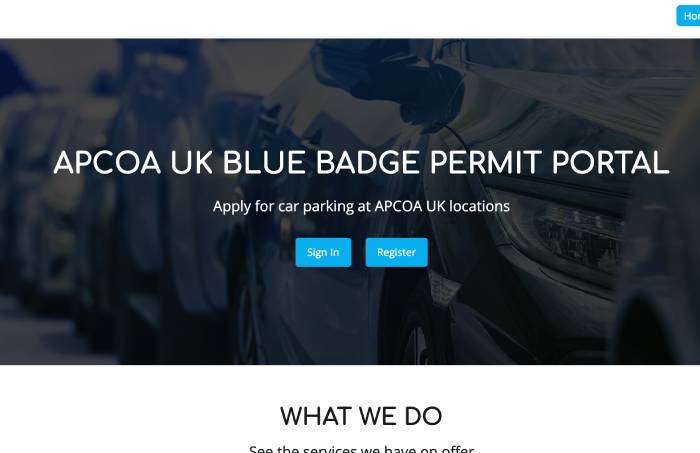
APCOA’s Blue Badge Permit Portal is used for annual renewals. Look for the My Permits and Renew options in your account.
APCOA’s instructions say users should submit a new annual permit request with updated badge photographs as part of the renewal process.
Make sure the relevant renewed permit has been accepted and is active before relying on it for parking.
What happens if your APCOA permit expires?
If your APCOA permit has expired, you should not assume that the vehicle remains registered for the same parking concession.
You may need to renew the permit and receive confirmation before parking under the registered arrangement again.
If you continue using an ANPR-controlled car park without meeting its registration requirements, you could receive a parking charge.
To reduce this risk:
- keep a record of your permit expiry date;
- check your APCOA email notifications;
- renew before expiry;
- confirm the new permit details;
- check that the vehicle registration is correct;
- follow the site’s conditions while the renewal is pending.
Do not confuse renewing your APCOA permit with renewing your official Blue Badge.
If your government-issued badge has expired, renewing the APCOA registration does not make that badge valid again.
See how to renew your official Blue Badge.
Can you register more than one vehicle with APCOA?
APCOA’s permit system uses vehicle registration information, so it is important to understand which vehicle is covered.
If you regularly travel in different cars, for example with a relative, carer or friend, check whether your permit account allows multiple vehicles to be recorded and how the active vehicle is selected.
Do not assume that simply adding a second car to an account automatically makes both vehicles eligible at the same time.
Before using another car:
- sign in to the relevant APCOA permit account;
- check which registration number is attached to the active permit;
- follow any procedure for updating or switching the vehicle;
- confirm the change has taken effect;
- check that the intended car park accepts the permit.
If the portal does not clearly explain how to change vehicles, contact APCOA before parking.
Remember that the official Blue Badge belongs to the eligible person rather than one particular car, but the parking operator’s electronic permit may still be linked to a specific vehicle registration.
What if you change your car or enter the wrong number plate?
Incorrect vehicle registration details can cause problems at ANPR-controlled car parks.
The ANPR system reads the number plate displayed on the vehicle.
If the recorded registration does not match the vehicle you are using, the parking concession may not be recognised.
Possible causes include:
- typing an incorrect letter or number;
- using an old registration after changing cars;
- forgetting to update a permit when travelling in a different vehicle;
- selecting the wrong vehicle in the permit account;
- assuming an account change automatically updated the active permit.
Check the active permit details before visiting an ANPR-controlled car park.
If you cannot correct an error through the portal, ask APCOA Customer Services for help.
What if your official Blue Badge is renewed or replaced?
If your government-issued Blue Badge is renewed, replaced or has its details changed, your APCOA permit information may also need updating.
This is particularly important if the new badge has:
- a different badge number;
- a different expiry date;
- updated personal details;
- replacement documents following loss, theft or damage.
Sign in to your APCOA account and check how to update the permit or provide the new badge photographs.
If the procedure is unclear, contact APCOA before relying on an existing permit linked to an old badge.
For a lost or stolen badge, follow the relevant issuing authority’s reporting process.
Read what to do if your Blue Badge is lost, stolen or damaged.
How does APCOA Blue Badge parking work at railway stations?
APCOA manages parking at numerous railway stations, but the concessionary arrangements vary by station and rail operator.
For example, its published Southern railway guidance distinguishes between ANPR and non-ANPR car parks.
Participating ANPR railway car parks
APCOA says Blue Badge holders must register their vehicle through an accepted method, such as the Blue Badge Portal or the site-specific APCOA Connect arrangement, and display their Blue Badge.
At some railway car parks, alternative telephone registration is also available.
Participating non-ANPR railway car parks
At relevant non-camera-controlled railway sites, APCOA’s published guidance may require the badge to be displayed without the same online vehicle registration procedure.
However, this is not a universal rule for every APCOA-managed site.
What if all disabled bays are occupied?
At certain participating station car parks, APCOA allows Blue Badge holders to use ordinary marked bays if the designated disabled spaces are occupied.
Some guidance explicitly excludes premier bays.
Always read the signs before deciding where to park.
Official example: APCOA — Southern railway car park arrangements.
How does APCOA Blue Badge parking work at hospitals?
Some APCOA-managed hospital car parks offer free parking to Blue Badge holders, but the validation procedure can differ from ordinary railway parking.
For example, APCOA’s information for Royal Berkshire Hospital in Reading describes two relevant options:
- pre-register the vehicle and Blue Badge with APCOA;
- use the hospital’s designated on-site validation procedure.
The Royal Berkshire Hospital parking instructions explain that registered eligible vehicles can use the relevant participating arrangement without needing to validate each visit.
They also describe an alternative involving the hospital’s main reception and the identification section of the badge.
These instructions are specific to that hospital and should not be copied to every hospital car park.
Before attending an appointment, check:
- whether Blue Badge parking is free;
- whether registration is required;
- whether you must validate your stay at reception;
- which spaces are available;
- whether there are limits on the concession;
- how the badge must be displayed or presented.
Official example: APCOA — Royal Berkshire Hospital parking information.
For the wider subject, read whether hospital parking is free for Blue Badge holders.
Does the APCOA Blue Badge permit work at airports?
Do not assume that the general APCOA annual permit covers airport drop-off, pick-up or terminal parking.
Airports may operate completely separate Blue Badge concession schemes.
APCOA manages several airport-related parking and drop-off services, but its official help centre provides separate instructions for different airports.
London Heathrow Airport
APCOA operates a separate Blue Badge account and discount procedure for Heathrow’s terminal drop-off forecourts.
According to its current instructions, eligible users must register through the dedicated Heathrow drop-off service and provide relevant Blue Badge information.
APCOA states that approval can take up to five working days.
Once the account is approved, eligible users must still sign in and confirm the date and vehicle registration for each visit to receive the applicable 100% terminal drop-off discount.
This is different from assuming that one general annual APCOA permit automatically covers every Heathrow visit.
Official instructions: APCOA — Heathrow Blue Badge drop-off account.
Manchester Airport
APCOA’s published Manchester Airport guidance explains that Blue Badge concessions are available for relevant drop-off forecourts.
It also states that standard tariffs apply at the pick-up forecourts.
Under the published drop-off procedure, the travelling passenger must show their Blue Badge to the traffic marshals when entering the area.
Official information: APCOA — Manchester Airport Blue Badge concessions.
Airport drop-off and pick-up rules can change and should always be checked directly before travel.
What to do if APCOA refuses your Blue Badge permit
APCOA says it sends an email explaining whether the permit request has been approved or declined.
If the request is unsuccessful, the email should explain the reason.
Possible issues to check include:
- incorrect Blue Badge details;
- an unreadable upload;
- a mismatch between the submitted information and the badge;
- incorrect vehicle details;
- an expired badge;
- an incomplete permit application.
These are examples of information problems to investigate, not a definitive list of APCOA refusal reasons.
Follow the explanation in your own email.
Correct the relevant information and reapply through the official portal if appropriate.
An APCOA permit refusal is not the same as a refusal of your government-issued Blue Badge application.
APCOA administers parking concessions at participating car parks; it does not determine whether you qualify for the national Blue Badge scheme.
What to do if you receive an APCOA Parking Charge Notice (PCN)
Do not ignore a Parking Charge Notice simply because you hold a valid Blue Badge.
First, identify why the notice was issued.
For example, check whether:
- the site offered the concession you believed applied;
- the vehicle registration was correct;
- your permit had been approved;
- the annual permit was still valid;
- your Blue Badge was correctly displayed;
- you complied with the car park’s other conditions.
If you believe the charge was issued incorrectly, use the appeal instructions on the notice.
How to appeal an APCOA PCN
- Read the notice. Check the type of charge, issue date and stated reason.
- Find the reference number. APCOA requires the notice reference and vehicle registration.
- Gather relevant evidence. This may include a copy of the permit confirmation, badge information or evidence of the correct number plate.
- Explain the circumstances. State why you believe the charge was issued incorrectly.
- Submit the appeal. Use the official method identified on the notice.
- Keep the confirmation. Retain copies of your appeal and supporting documents.
APCOA’s published help guidance says Parking Charges and Penalty Notices include the right to appeal within 28 days of issue.
It also states that appeals are normally answered within 28 days of receipt.
However, different notices can be issued under different parking arrangements or legal frameworks. Always follow the information on your particular notice.
You can find the official process through APCOA — How to appeal a Parking Charge or Penalty Notice.
Submitting an appeal does not guarantee that the charge will be cancelled.
The outcome depends on the evidence, the applicable site terms and the relevant notice rules.
What evidence should you include when challenging an APCOA charge?
Relevant evidence may include:
- the Parking Charge Notice reference;
- the vehicle registration number;
- a copy or relevant details of the valid Blue Badge;
- APCOA permit approval confirmation;
- evidence of the permit’s validity period;
- confirmation of the registered vehicle;
- evidence of the specific car park’s Blue Badge concession;
- any other information directly relevant to the reason for the charge.
For example, if a notice was issued because the number plate was not recognised, explain whether the relevant permit was active and whether the correct registration details had been entered.
If the location offered an alternative validation method, provide evidence of any validation completed.
Do not include unrelated medical information in a parking-charge appeal.
The operator should normally receive only the information relevant to considering the charge.
Who should you contact for APCOA Blue Badge help?
APCOA provides customer support for its Blue Badge permit system.
Its general Blue Badge Parking page publishes:
- Customer support telephone: 0345 222 7262
- Help centre: APCOA Customer Service Help Centre
- Permit portal: APCOA Blue Badge Permit Portal
- Permit application instructions: APCOA Blue Badge application and renewal help
The help centre also lists 0345 301 1151 for assistance with registering or applying for a Blue Badge permit.
If you are unsure which support route applies, use the relevant help article or the contact information shown in your permit account.
For a Parking Charge Notice, use the instructions printed on the notice rather than assuming that the normal permit-support team handles appeals.
Common APCOA Blue Badge parking mistakes
The following mistakes can cause unnecessary charges or problems with parking concessions:
- Assuming every APCOA car park is free. The permit only applies where the relevant concession is available.
- Not registering at a participating ANPR site. Some camera-controlled car parks require vehicle registration.
- Displaying the Blue Badge but ignoring electronic registration. Both may be required.
- Failing to display the badge. APCOA generally requires badge display at participating sites.
- Using the wrong registration number. ANPR systems rely on accurate vehicle details.
- Assuming a permit request is approved immediately. APCOA publishes a two-working-day review process.
- Forgetting annual renewal. APCOA permits last one year.
- Assuming a renewed APCOA permit extends an expired Blue Badge. The two have separate validity requirements.
- Parking in a premier or reserved bay. Standard-bay concessions do not automatically include all restricted spaces.
- Assuming railway, hospital and airport arrangements are identical. Different sites may use different validation systems.
- Ignoring the car park’s signs. Site-specific terms remain important.
- Ignoring a PCN. If you dispute a notice, use the official appeal process within the applicable deadline.
APCOA Blue Badge parking checklist
Before parking at an APCOA-managed location, check the following:
- ☐ I have a valid official Blue Badge.
- ☐ I have checked whether this location offers a Blue Badge parking concession.
- ☐ I know whether the car park uses ANPR cameras.
- ☐ If registration is required, I have completed the correct procedure.
- ☐ My APCOA permit has been approved and is active.
- ☐ My annual APCOA permit has not expired.
- ☐ The correct vehicle registration is recorded.
- ☐ I have checked whether another vehicle can be used with my permit.
- ☐ I have read the car park signs.
- ☐ I understand the badge display requirements.
- ☐ I am parking in an allowed bay.
- ☐ I have checked for any time limit or restricted area.
- ☐ If visiting a hospital or airport, I have checked its separate validation procedure.
- ☐ I know how to contact APCOA if something goes wrong.
Related Blue Badge parking and application guides
APCOA parking is one example of how operator-specific rules can differ from the general Blue Badge scheme.
For related guidance, see:
- Where can you park with a Blue Badge?
- Do Blue Badge holders get free parking?
- Is hospital parking free for Blue Badge holders?
- How much does a Blue Badge cost?
- How to apply for a Blue Badge online
- How to renew a Blue Badge
- What to do if your Blue Badge is lost, stolen or damaged
Official APCOA Blue Badge information
The following APCOA sources provide the official information used in this guide.
- APCOA — Blue Badge parking and participating car park information
- APCOA — Official Blue Badge Permit Portal
- APCOA — Permit registration, approval and annual renewal
- APCOA — Blue Badge Permit Portal help
- APCOA — Southern railway ANPR and non-ANPR parking rules
- APCOA — Royal Berkshire Hospital Blue Badge arrangements
- APCOA — Heathrow Airport Blue Badge drop-off registration
- APCOA — Manchester Airport Blue Badge concessions
- APCOA — Parking Charge and Penalty Notice appeals
The bottom line
APCOA offers free Blue Badge parking at many participating UK locations, but the exact requirements depend on the car park.
At participating ANPR-controlled sites, you may need an approved APCOA Blue Badge permit linked to the correct vehicle registration, as well as a correctly displayed valid Blue Badge.
APCOA’s standard permit lasts one year and requires annual renewal. The operator says applications are reviewed within two working days and renewal reminders are sent approximately four weeks before expiry.
However, the permit does not automatically provide concessions at every APCOA location. Some railway stations, hospitals and airport facilities use different arrangements.
Before parking, check the site’s Blue Badge information, make sure your permit is valid where required and follow the displayed conditions.
If you need to register, use the official APCOA Blue Badge Permit Portal.
Frequently asked questions
Do Blue Badge holders park free at APCOA?
APCOA offers free or concessionary parking to Blue Badge holders at many participating UK car parks, but not every APCOA-managed location provides the same benefit. Always check the individual car park’s terms.
How do I register my Blue Badge with APCOA?
Visit bluebadge.apcoa.co.uk, create an account, select Request Permit, choose Annual, complete the required information and upload photographs of the front and back of your Blue Badge. APCOA then reviews the request.
How long does APCOA take to approve a Blue Badge permit?
APCOA’s official guidance says it reviews Blue Badge permit requests within two working days and emails applicants to explain whether their request was approved or declined.
Do I need to register with APCOA every time I park?
Not normally where an approved annual permit covers the participating location. However, some sites, including certain airport facilities, use separate procedures or require confirmation of individual visits.
Does an APCOA Blue Badge permit work at every APCOA car park?
No. APCOA explicitly states that its Blue Badge Permit Portal does not entitle users to concessions at every location. You must check the car park’s information and displayed terms.
How long does an APCOA Blue Badge permit last?
The standard APCOA Blue Badge permit lasts one year. It must be renewed annually, even if your official government-issued Blue Badge remains valid for longer.
How do I renew my APCOA Blue Badge permit?
Sign in to the APCOA Blue Badge Permit Portal, select My Permits, choose Renew, select Annual, update the required details and upload photographs of your current Blue Badge before submitting the renewal request.
Does APCOA remind you when your Blue Badge permit expires?
APCOA says it sends an email reminder approximately four weeks before the permit expires. You should still keep your own record of the expiry date.
Do I need to display my Blue Badge if my car is registered with APCOA?
APCOA’s general Blue Badge parking guidance requires badge display at participating car parks. A registered vehicle does not automatically remove the site’s badge display requirement. Follow local instructions.
Can I use a normal parking bay if the disabled bays are full?
At some participating APCOA sites, yes. APCOA’s general guidance allows use of available standard bays when disabled spaces are occupied, but specific restrictions can apply, including exclusions for premier or reserved bays.
Can I register more than one car with APCOA?
Vehicle details are managed through the relevant permit arrangements. If you use different vehicles, check whether the portal allows multiple registrations and which vehicle is attached to the active permit. Do not assume all listed vehicles are covered simultaneously.
Does the APCOA Blue Badge permit cover airport drop-off charges?
Not automatically. Airport drop-off facilities can use separate concession schemes. Heathrow has a dedicated Blue Badge account and per-visit confirmation procedure, while Manchester Airport publishes different drop-off and pick-up conditions.
What should I do if APCOA issues a PCN despite my Blue Badge?
Read the notice and check whether the parking concession and registration requirements were met. If you believe the charge is incorrect, use APCOA’s official appeal process with the notice reference, vehicle details and relevant evidence.
How long do I have to appeal an APCOA Parking Charge Notice?
APCOA’s published general guidance states that Parking Charges and Penalty Notices include a right to appeal within 28 days of issue. Follow the exact procedure and deadline printed on your notice.
What happens when I renew or replace my official Blue Badge?
Check whether your APCOA permit details need updating, especially if your new Blue Badge has a different number or expiry date. The APCOA permit and official badge are separate and must both remain valid where required.